What your eye color result means
Glowometry estimates the visible color of your irises as brown, blue, hazel, green, gray, or amber.

Iris detail
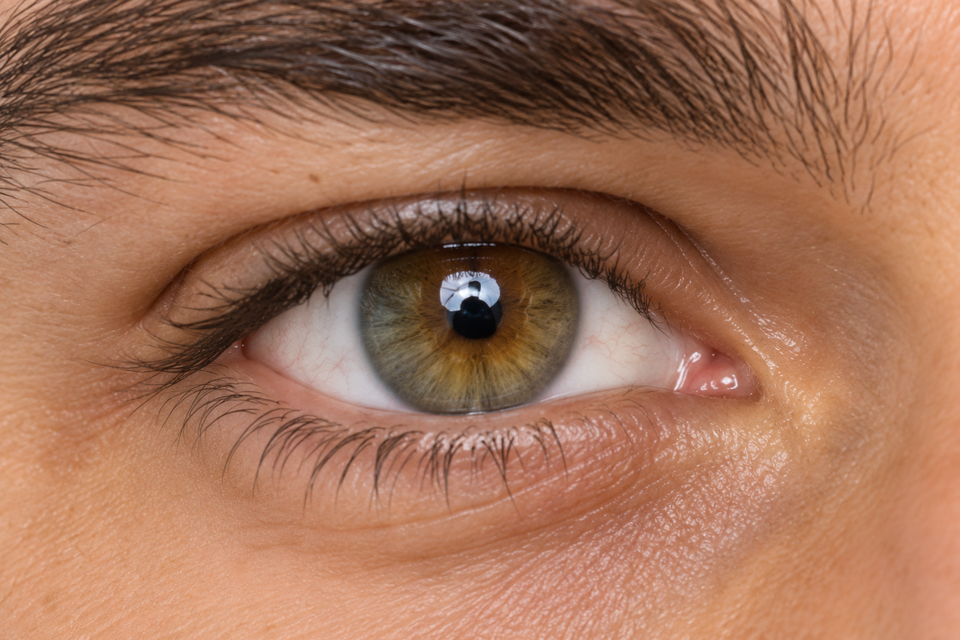
Sampled iris tones
- Iris tone 1:#68604D
- Iris tone 2:#786A55
- Iris tone 3:#79613D
- Iris tone 4:#94723F
- Iris tone 5:#6B4E2B
- Iris tone 6:#4A270A
What the result means
The result combines the sampled iris colors into one overall label.
The color swatch is drawn from your photo and shows the average of the accepted iris samples.
How does it work
- 01
Eye landmarks locate each iris and exclude the center pupil and surrounding skin.
- 02
Bright reflections and very dark obstructions are filtered out.
- 03
The result combines both usable eyes. If only one eye can be sampled, that eye is used. If neither can be sampled, the result is Unable to estimate.
Labels you may see
- Brown
- Predominantly brown tones, including light and dark brown.
- Blue
- Predominantly blue tones.
- Hazel
- A mixture of green and brown or gold tones.
- Green
- Predominantly green tones.
- Gray
- Predominantly muted gray tones, sometimes with a blue tint.
- Amber
- Predominantly golden or honey-colored tones.
- Unable to estimate
- Neither iris provided a large enough, usable color sample. Try a sharper photo.
For a clearer result
- Use a sharp, front-facing photo with both eyes clearly visible.
- Prefer soft daylight and avoid direct flash or strong colored lighting.
- Remove colored contact lenses and avoid heavy shadows across the iris.
- Keep the camera level so the iris is not hidden by eyelids or reflections.
Ready to analyse your facial structure?
Upload a photo and explore your personalised analysis.